Showing posts with label HTTP-DELETE. Show all posts

Tuesday, June 19, 2018

Make a WCF RESTful Web Service with CRUD operations in 5 minutes

In this Step by step we Make a WCF RESTful Web Service with CRUD operations in 5 minutes 
   we see how to build a WCF REST web service with all CRUD operations to be Ajax called, all this   in just 5 minutes, following this simple steps :

1) Use Visual Studio templates and build an Ajax WCF web service
2) Customize it to support RESTful calls in JSON format (can also be XML)
3) Code all C.R.U.D. (Create Read Update Delete) operations


The whole code for this tutorial , can be downloaded from the following GitHub repository:
https://github.com/CarmelSoftware/WCF_RESTful_WebService
To build this service, we use a demo class which will be exposed by the REST service through HTTP calls, that you can later replace with your own EDM data model classes.
This an HTTP GET response from this RESTful WCF service :

Make a WCF RESTful Web Service with CRUD operations in 5 minutes
And this other is an HTTP PATCH request-response from this WCF REST service:

Make a WCF RESTful Web Service with CRUD operations in 5 minutes


Make a WCF RESTful Web Service with CRUD operations in 5 minutes


The whole process for making this REST service , is as follows :

1) Use Visual Studio templates and build an Ajax WCF web service:

First build an ASP.NET Web Application using this Visual Studio template:


Make a WCF RESTful Web Service with CRUD operations in 5 minutes


Then, add an AJAX enabled WCF web service to the project:


Make a WCF RESTful Web Service with CRUD operations in 5 minutes

You'll get the following usable skeleton for the WCF service:


Make a WCF RESTful Web Service with CRUD operations in 5 minutes


Take a look at the web.config file to see the WCF service configuration:

Make a WCF RESTful Web Service with CRUD operations in 5 minutes


As you can see , there is an endpoint which wears the name of the Web service class.
The "enableWebScript " behavior sets that the service will respond to AJAX calls.


2) Customize it to support RESTful calls in JSON format (can also be XML)

First thing we do, is to change the endpoint behavior to turn it into a REST service, using the "webHttp" directive, as follows:

Make a WCF RESTful Web Service with CRUD operations in 5 minutes

Notice that this directive replaces the "enableWebScript" one.

To make run this service, we design a demo class called "Data", which will be exposed by the REST service through HTTP calls:

Make a WCF RESTful Web Service with CRUD operations in 5 minutes

This data will be decorated with the DataContract directive, and the properties will be DataMembers.
We also add some constructors to create some records and return them by the service.
After you have your WCF RESTful service working, you will replace this demo class with some EDM data model classes of your own.
Remember to declare "serializable" your model.


3) Code all C.R.U.D. (Create Read Update Delete) operations

Then go to the WCF class and replace the "DoWork" method with the HTTP GET method to return ALL  items:


HTTP GET :

Make a WCF RESTful Web Service with CRUD operations in 5 minutes

We specify the handle for HTTP GET requests, by using the attribute "WebGet".
Also, we stipulate the response format as JSON, since the default is XML.
And we set an UriTemplate as "/Get" , which will differentiate this method from the second GET one, which will return only one item according to the ID, which you will code as follows:

Make a WCF RESTful Web Service with CRUD operations in 5 minutes
Notice that the return value is an array of Data objects and a single Data object, accordingly:


Make a WCF RESTful Web Service with CRUD operations in 5 minutes

Make a WCF RESTful Web Service with CRUD operations in 5 minutes


HTTP POST :

The POST HTTP verb is used to CREATE a new item, and we define it using the WebInvoke attribute:

Make a WCF RESTful Web Service with CRUD operations in 5 minutes

We only want to check that our REST service works, so that just return the same Data object from the request (here i'm using POSTMAN to send HTTP requests. You can also use FIDDLER for that):


Make a WCF RESTful Web Service with CRUD operations in 5 minutes

Important: the JSON object in the request's body must hold the field's data with exactly the same field names set in the DataMembers in your service: it is case-sensitive ("Id" means "Id", and no "id", got it?).

HTTP PUT:

The PUT HTTP VERB is used to update the entire item, i.e. to replace it with an updated one, and we do so by using the WebInvoke PUT option as follows:


Make a WCF RESTful Web Service with CRUD operations in 5 minutes
The binder will give you the Date object from the request, if the names of the fields being the same as the class in a case-sensitive way, and also will give you the ID of the item to update. Check that you wrote EXACTLY the same variable name for this : "Put/{id}" == string "id" .

Test this method from POSTMAN sending an PUT request with a JSON object in the body:


Make a WCF RESTful Web Service with CRUD operations in 5 minutes

Important: the JSON object inside the request's body must contain the field's data with exactly the same field names set in the DataMembers in your service: it is case-sensitive ("Id" means "Id", and no "id").


HTTP PATCH :

The HTTP PATCH verb is used in REST for updating just some of the object's fields:


Make a WCF RESTful Web Service with CRUD operations in 5 minutes


Again, test it using this REST call with the HTTP PATCH verb:

Make a WCF RESTful Web Service with CRUD operations in 5 minutes
HTTP DELETE :


Finally, create the method to handle HTTP DELETE requests, as follows:


Make a WCF RESTful Web Service with CRUD operations in 5 minutes


Make a WCF RESTful Web Service with CRUD operations in 5 minutes


THE END


That's all. Now you have a working WCF RESTful web service , and you can replace the Data model with your own.


      by Carmel Schvartzman


כתב: כרמל שוורצמן


Saturday, January 30, 2016

Step by step how to send an HTTP DELETE Request to an RESTful WCF Service using Fiddler

In this tutorial we'll learn how to create an HTTP DELETE Request to an RESTful WCF application using Fiddler
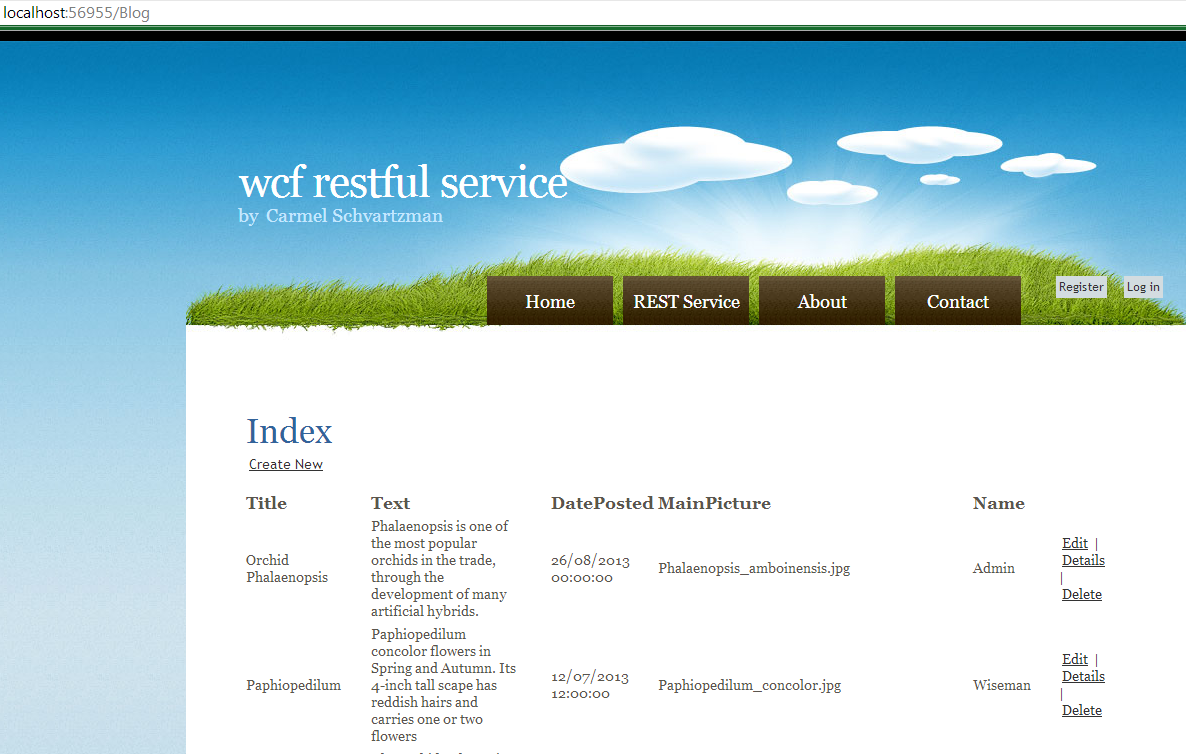
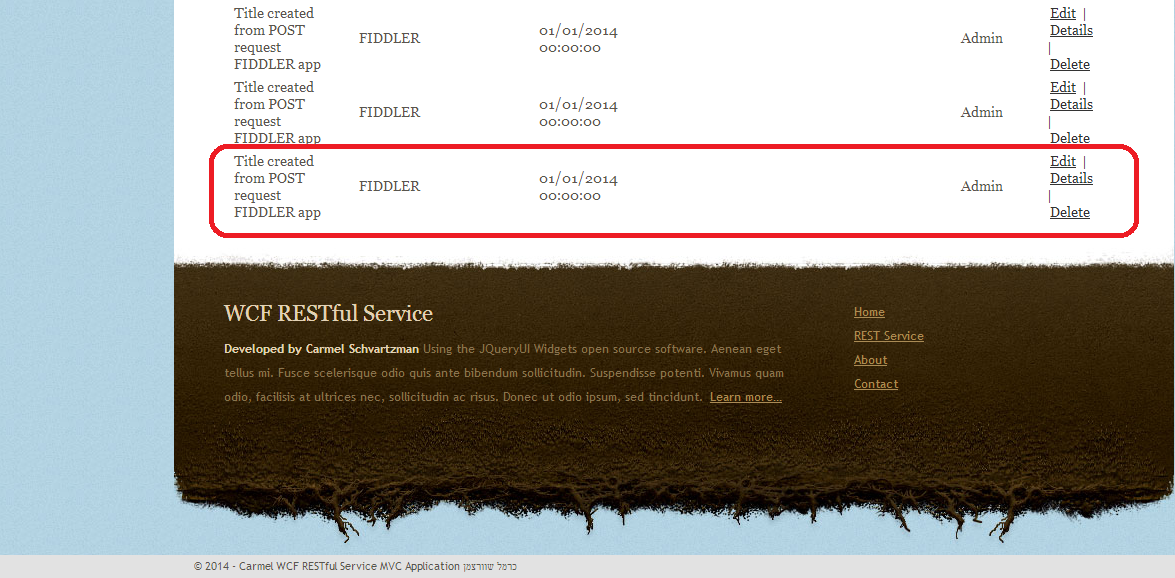
We'll use Fiddler for testing purposes of a RESTful WCF application, sending  HTTP DELETE requests. We'll start with a WCF application,  and we'll remove an entry using Fiddler, showing as follows :


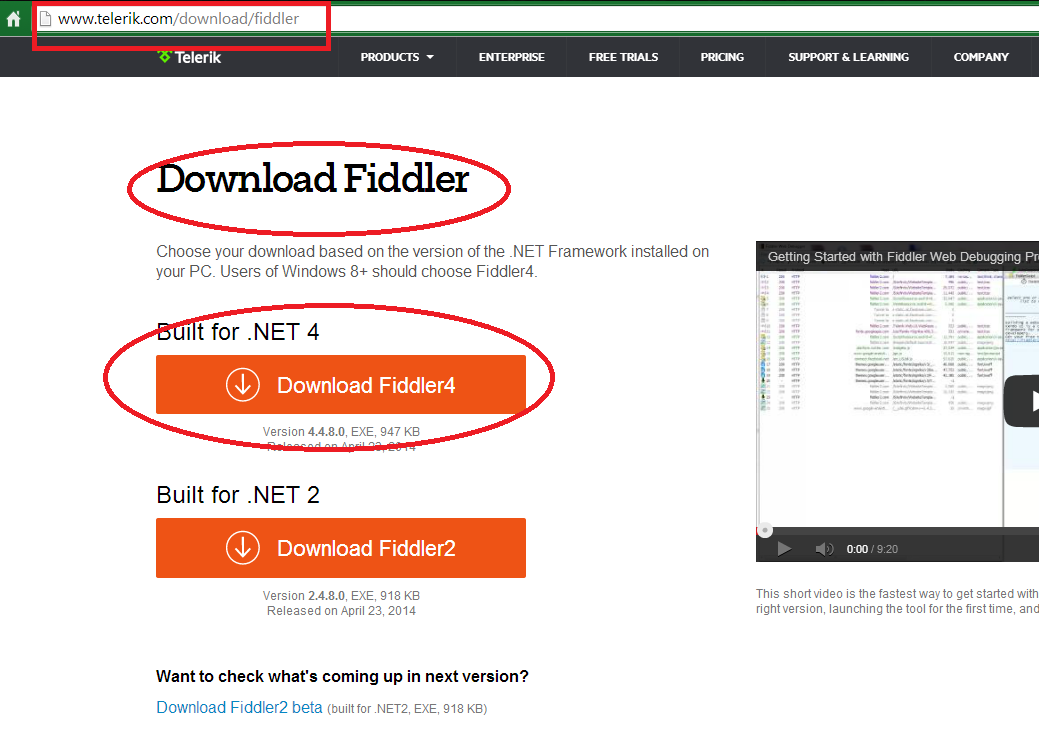
First of all, we have to download the FREE Fiddler tool from this web site :


Now check the settings of the Operation Contract at the WCF Service Contract, in order to provide exactly what it is expected:


The WebInvoke is set to handle the DELETE HTTP method, and the request format is supposed to be JSON, the same as the response format. So, we'll send what the WCF wants.
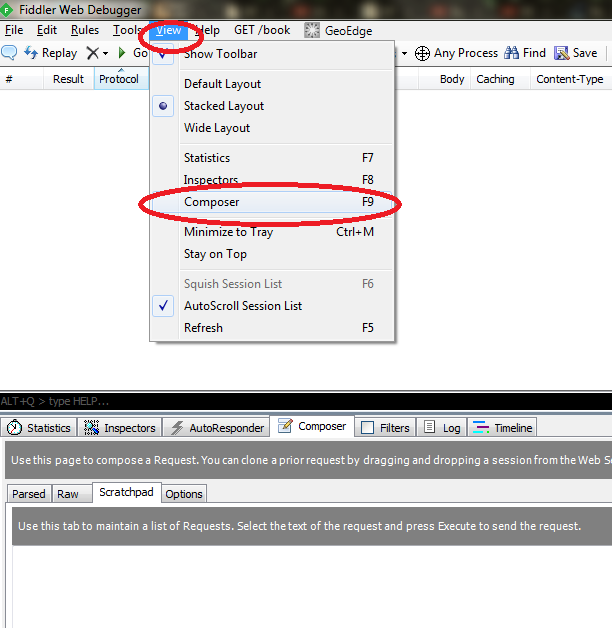
Open Fiddler and find the "Composer" option:


Then type in the WCF service URL and select "DELETE" HTTP method from the list. Set the request Headers as follows: (the Content-Length  will be filled by Fiddler for you):


Fill the Request Body, and take care to fill the ID of the record to remove. The rest of fields is just optional.

Press the "EXECUTE" button  to send the request. If you set a breakpoint inside the WCF operation, you'll see the following in action :


As you see, WCF succeeded at identifying inside the JSON the ID to erase.
Then the response is sent to Fiddler, with a "true" value, because everything went fine:


And the database shows the deleted value:


If you want to see the RESTful WCF that we're using here, see this tutorial.

That's all.... 
In this tutorial we've seen how to send an HTTP DELETE Request to an RESTful WCF service using Fiddler. 
Happy programming.....
      By Carmel Shvartzman
כתב: כרמל שוורצמן


Tuesday, January 5, 2016

How to send an HTTP DELETE Request to a RESTful ODataController Web API Service using Postman

In this post we'll learn Step by step how to send an HTTP DELETE Request to a RESTful ODataController Web API Service using Postman
We'll use Postman to test a RESTful OData Web API application, sending an HTTP DELETE request. We'll use a working OData Web API ODataController  built in a previous tutorial,   and we'll delete a record using  Postman :

How to send an HTTP DELETE Request to a RESTful ODataController Web API Service using Postman


In order to get Postman installed ,  go to the Chrome Tools >> Extensions   ,  search for "Postman" and install the App .

HTTP DELETE Request to a RESTful ODataController Web API with Postman


Now let's see how to call the OData Web API to delete an item :   in order to setup  the ODataController , there will be an ODataModelBuilder at the "Register" method called from the Global.asax file : it's important that the EntitySet name MUST be the same name of the Controller   , therefore we'll look for a "NotesController"  at the application :

Because there is a route prefix set ( "ODataV4" ) ,  we'll also append it to the URL : 


At the ODataController ,  we check for the "Delete" action method , since we're sending an HTTP DELETE request :


Why are we checking this ? Because we want to know what is ODataController method expecting : in our case , it expects a URI which must include an integer "key" ID  ( "[FromODataURI]" ) .  

The Port of the application can be extracted from the Web tab at the application properties:


Put all of this together , and you have the URI for the DELETE request : 

"http://localhost:21435/ODataV4/Notes(6)" :


Important : OData is case sensitive : therefore , if you type "notes" instead of "Notes" , you will not obtain any data.

After setting the URI and the DELETE method , write the "Content-Type" header :


Send the request :


The request details can be seen this way :


In the meantime , the ODataController at the RESTful WebAPI have handled the request with the ID in the ODataURI : 


The action method renders a response with code 410 "GONE" , to express that the record has been deleted , and Postman exposes it : 


That's all... 
In this tutorial we've learned how to send an HTTP DELETE Request to a RESTful  ODataController Web API Service using Postman.
Happy programming.....
      By Carmel Shvartzman
כתב: כרמל שוורצמן


Thursday, June 11, 2015

How to fix the CORS Error 'Method DELETE is not allowed by Access-Control-Allow-Methods'

In this post we describe Step by step how to fix the CORS Error 'Method DELETE is not allowed by Access-Control-Allow-Methods'.  
This HTTP Error is sent back in the response by a web service following to an HTTP Ajax Request. This is a CORS (Cross Origin Resource Sharing) error, because it's originated by the different domains of the web Referer (the Requesting URL) and the Web Service (the Requested URL).
Frequently this error looks like this:
How to fix the CORS Error 'Method DELETE is not allowed by Access-Control-Allow-Methods'


Step by step how to fix the CORS Error 'Method DELETE is not allowed by Access-Control-Allow-Methods'


The internet web tool that we're using in this tutorial is the Chrome's Developer Tool (F12).
Normally, in the case of an status 200 (OK) response, we would have the following HTTP Headers at the "Network" tab, meaning that the HTTP request has been accepted:
How to fix the CORS Error 'Method DELETE is not allowed by Access-Control-Allow-Methods'    1


As you notice , both URLs ( requested- requesting URLs) belong to the same Domain ("http://localhost:XXXX/"):
How to fix the CORS Error 'Method DELETE is not allowed by Access-Control-Allow-Methods'   2


No problem here.

However, in our case, we probably got some Error like the following:
How to fix the CORS Error 'Method DELETE is not allowed by Access-Control-Allow-Methods'     3


If you open the Headers tab, and take a look at the URLs of both Referer and web service, you'll notice the following:
How to fix the CORS Error 'Method DELETE is not allowed by Access-Control-Allow-Methods'    4


You can note that they are different domains: we have a CORS (Cross Origin Resources Sharing) problem here. The browser has sent an HTTP OPTIONS request to the service, asking it whether it will accept an HTTP DELETE request, by using the Access-Control-Request-Method header.
Now here at the Response Headers, we see that the Access-Control-Request-Method header do not include the HTTP DELETE method, which is therefore not allowed:
How to fix the CORS Error 'Method DELETE is not allowed by Access-Control-Allow-Methods'   5


Usually, CORS problems are issued because the Access-Control-Request-Origin do not accept Ajax requests from Domains other than its own domain.
Here the CORS problem is about the HTTP Method being used.
To fix it, you must be allowed access to the Web Service's  web.config file , where the "httpProtocols" are located:
How to fix the CORS Error 'Method DELETE is not allowed by Access-Control-Allow-Methods'     6


Once there, first check that the allowed origins are all domains ( "*" ).
Next, add to the Access-Control-Request-Method the one you need: HTTP DELETE in our case:

Step by step how to fix the Error 'Method DELETE is not allowed by Access-Control-Allow-Methods'     7

Save the web.config file, and send the Request again:
How to fix the CORS Error 'Method DELETE is not allowed by Access-Control-Allow-Methods'    8


This time, the HTTP OPTIONS returns an status 200 (OK), informing to your browser  that the "DELETE" request is indeed allowed:
How to fix the CORS Error 'Method DELETE is not allowed by Access-Control-Allow-Methods'      9


Now is up to the browser to send the HTTP DELETE request, and this time, the response get status 200 (OK) :
How to fix the CORS Error 'Method DELETE is not allowed by Access-Control-Allow-Methods'     11


We hope that this post has helped you ..

Happy programming.....

      by Carmel Schvartzman


כתב: כרמל שוורצמן